Use the transaction workspace
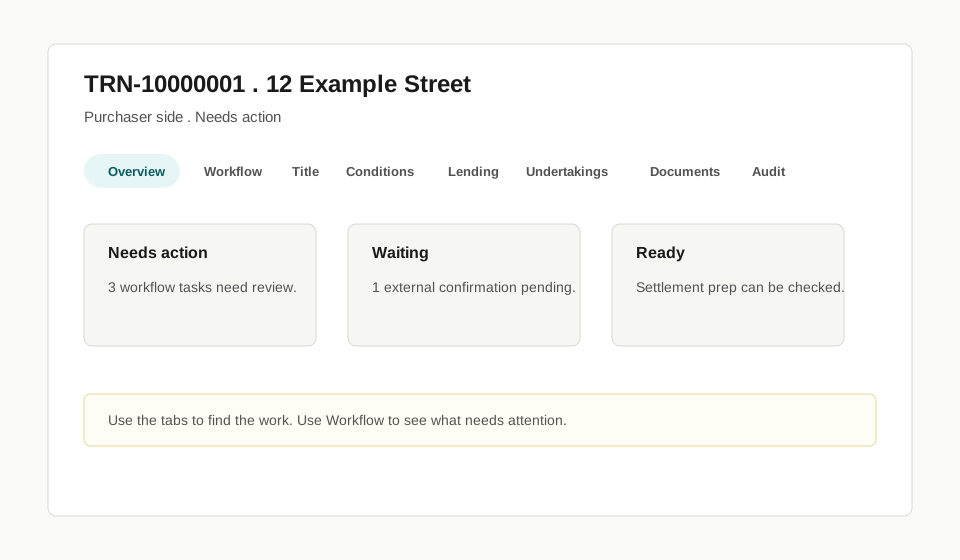
Use this page when you have opened a Transaction and need to understand where to work.
Before you start
Section titled “Before you start”- Open the Transaction from the dashboard or Transactions list.
- Check the Transaction reference and property before acting.
- Remember that some tabs appear only when they are relevant to the Transaction and your role.
- Start on Overview to confirm the Transaction identity and current state.
- Use Workflow to see staged work and what needs attention.
- Use the task-specific tabs for title, conditions, lending, undertakings, settlement statement, documents, communications, contacts, and audit.
- Return to Overview when you need a summary of the Transaction.
Check before you continue
Section titled “Check before you continue”- Check you are in the correct Transaction before uploading documents or recording confirmations.
- Check whether the work is still draft, review required, waiting, ready, or complete.
- If a tab is missing, it may not apply to your role or the current Transaction type.
What happens next
Section titled “What happens next”Use Which tab do I use? when you know what you need to do but not where to do it.
Limits
Section titled “Limits”The workspace brings work into one Transaction view, but not every external step happens inside Torrens. Landonline, lender, banking, trust-account, counterparty, council, and other external confirmations still happen outside Torrens unless a guide says Torrens records or tracks the source-confirmed fact.