Review extracted agreement details
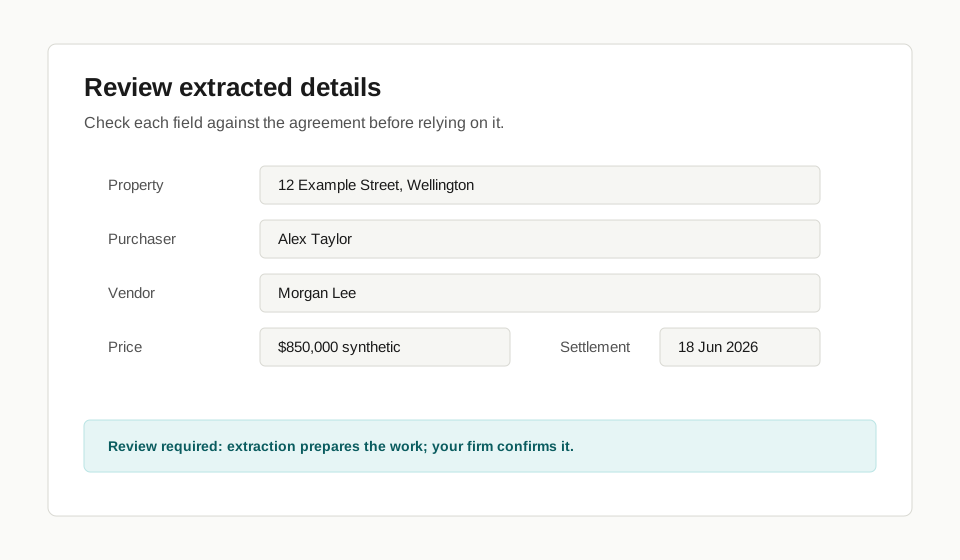
Use this page when Torrens has extracted agreement details and your team needs to check them.
Before you start
Section titled “Before you start”- Have the agreement available for comparison.
- Know who in your firm is allowed to confirm transaction details.
- Treat extraction as preparation, not approval.
- Open the Transaction or draft Transaction.
- Compare each extracted field against the agreement.
- Correct any party, property, title, price, deposit, condition, or date that is wrong.
- Confirm the acting side.
- Save or create the Transaction only when the details are ready for your firm to rely on.
Check before you continue
Section titled “Check before you continue”| Torrens prepares | Your firm checks |
|---|---|
| Extracted agreement details | That the details match the agreement |
| Suggested acting side | That your firm is acting for the correct side |
| Initial workflow context | Whether any unusual deal-specific handling is needed |
What happens next
Section titled “What happens next”Confirmed details become the starting point for the Transaction workspace and workflow. Use Use the transaction workspace to understand the main areas.
Limits
Section titled “Limits”Extraction does not replace professional review. If a term is unusual, unclear, handwritten, amended, or outside ordinary sale and purchase work, your firm should handle the issue under its own process.