Create your first transaction
Use this page when you need to create a new residential sale and purchase Transaction in Torrens.
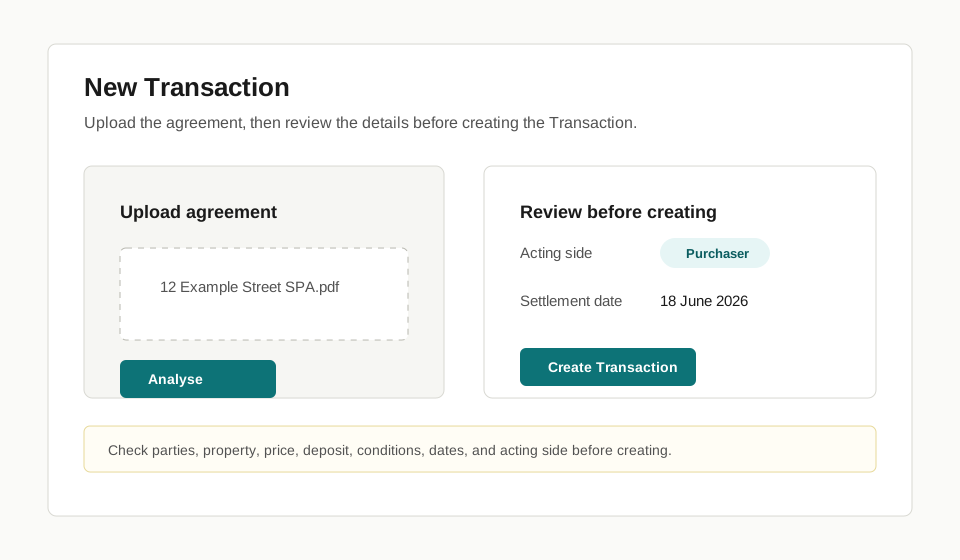
Before you start
Section titled “Before you start”- Have the agreement ready to upload.
- Know whether your firm acts for the purchaser or vendor.
- Check that the file is ordinary residential sale and purchase work. Complex trust, company, attorney, capacity, insolvency, Maori land, chain settlement, or urgent exceptions may need firm-specific handling outside Torrens.
- Open Transactions.
- Select New Transaction.
- Upload the agreement.
- Wait for Torrens to extract the key details.
- Review the extracted details before creating the Transaction.
- Confirm the acting side.
- Create the Transaction and open the workspace.
Check before you continue
Section titled “Check before you continue”- Check the parties, property, price, deposit, conditions, and settlement date.
- Check the acting side. This affects which responsibilities, confidential information, and workflow tasks apply.
- Do not rely on extracted agreement details until your firm has checked them.
What happens next
Section titled “What happens next”Torrens opens the Transaction workspace. Use Review extracted agreement details if anything needs checking before the Transaction moves forward, then use Which tab do I use? to find the right workspace area.
Limits
Section titled “Limits”Torrens can prepare and extract information, but it does not decide whether your firm should act, whether the agreement is legally sufficient, or whether unusual facts need specialist handling.